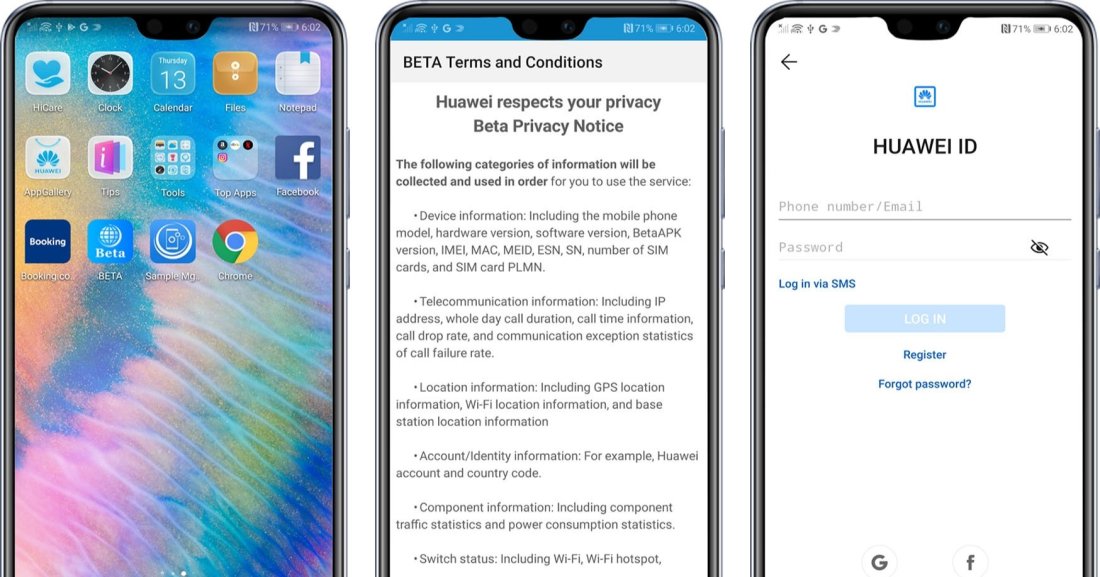
First of all, you need to install the beta user app from the link given here. After the installation, follow the instructions below.
How to Join the beta Campaign:
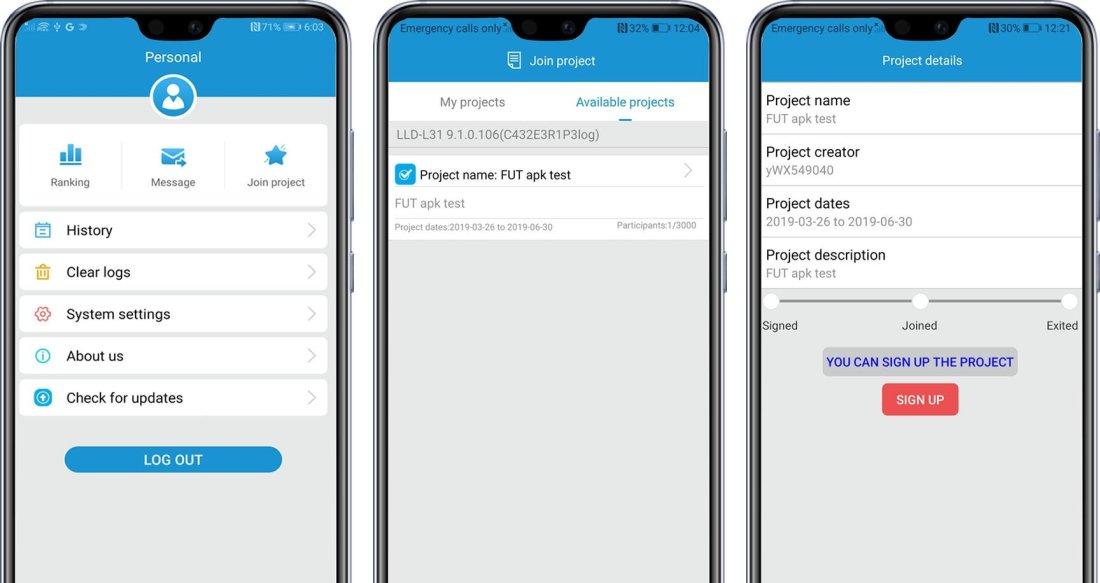
1. Start APP > Accept terms & condition > login > Need login the HW ID before the 1st time to use this tool; If no HW ID, need to apply a new account by real email or mobile phone number firstly
2. Start APP > login > select “Personal” > “Join Project” > “Available Project”.
HOW TO QUIT THE BETA PROGRAM:
Launch the App > Login > select “Personal” > “Join Project” > “Available Project” > select the project which you already joined, select “Sign out”.
After you quit the application, Huawei will remove your application within the time of 48 hours and you won’t receive any official beta notifications.

 Bimanualtech